Segments overview
What a customer segment is, what you can do with one, who can be in it, and the steps from an idea to a segment that works for you.
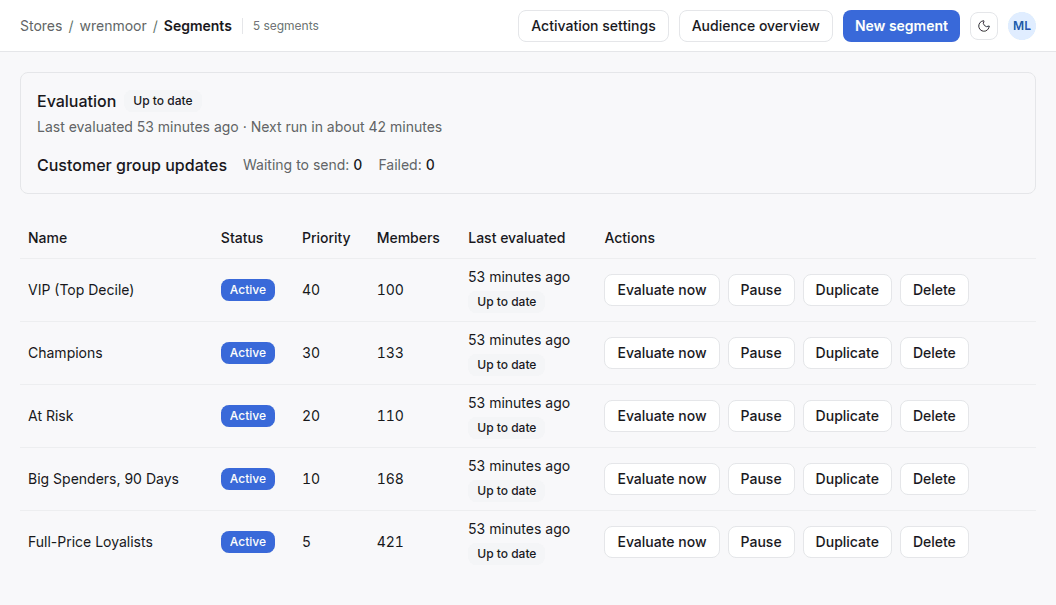
A segment is a group of your customers that StoreSpan keeps up to date for you. You describe who belongs with rules, such as "spent at least $200 in the last 90 days" or "has not ordered for 120 days". StoreSpan works out who matches from your store's orders, and adds and removes customers as things change.
What you can do with a segment
| Use | What happens | Read |
|---|---|---|
| Show content to the segment only | A banner, a menu or a kit shows only to customers in the segment. | Targeting |
| Keep a BigCommerce customer group in step | StoreSpan moves customers into and out of a customer group as they join and leave the segment. | Put a segment to work |
| Understand your customers | See how many customers match, what they buy and how the group changes over time. | Segment results |
Two examples
The examples in this section use two segments of an outdoor clothing shop:
| Segment | Who is in it |
|---|---|
| Big Spenders, 90 Days | Customers who spent at least $200 in the last 90 days. |
| At Risk | Customers who used to buy, and last ordered a long time ago. |
Who can be in a segment
A segment holds known customers only, never guests. See Who is included.
StoreSpan identifies a customer by their BigCommerce customer id. It does not show names or email addresses anywhere in Segments. See Data and privacy.
Where to find Segments
Open Audience › Segments in the left menu.
If you do not see Audience in the menu, Segments is not switched on. Ask StoreSpan support. Your saved segments are kept while it is off.
From idea to a working segment
- Create the segment from a template or from your own rules. See Create a segment.
- Check who matches in the preview, then save. A new segment is saved paused, so nothing happens yet.
- Activate it, and choose whether it moves customers into a BigCommerce customer group. See Put a segment to work.
- Watch who is in it and how it changes. See Members and Segment results.
- Look after it over time. See Manage segments.
For your customers as a whole, see Audience overview.